Lg Oven How To Use The Complete Step By Step Guide
Our LG Oven How To Use guide covers everything from setup to advanced cooking modes. You will learn to navigate the control panel, use convection and steam features, and fix common problems. Whether you own a single or double oven, this guide has you covered. Get ready to cook with confidence using simple, expert-backed instructions.
So you just got a shiny new LG oven and you are eager to start cooking. Maybe you are a beginner in the kitchen or you simply want to explore all the features your oven offers. Either way, you are in the right place. This guide will walk you through everything you need to know about using your LG oven like a pro.
LG ovens come packed with smart features, intuitive controls, and powerful cooking modes. But let us be honest. All those buttons and settings can feel overwhelming at first. That is exactly why we created this guide. By the time you finish reading, you will know exactly how to use every function on your LG oven. No confusion. No guesswork. Just clear, step-by-step instructions that actually work.
We will cover setup, daily operation, cooking modes, troubleshooting, and maintenance. You will also find quick tips and common mistakes to avoid. Think of this as your personal LG oven manual but way more fun to read. Let us dive right in.
Key Takeaways
- Easy Setup: Learn how to install and power on your LG oven correctly before first use.
- Control Panel Mastery: Understand every button and setting on your LG oven display.
- Cooking Modes: Discover convection, steam, and specialty modes for different recipes.
- Temperature Control: Get tips on preheating and setting the right temperature for every dish.
- Troubleshooting: Fix common issues like the LG oven not heating or error codes quickly.
- Maintenance: Keep your LG oven clean and running smoothly with self-cleaning and manual tips.
- Safety First: Follow essential safety guidelines to protect your family and your appliance.
📑 Table of Contents
- Getting Started With Your LG Oven
- Understanding the LG Oven Control Panel
- Cooking Modes and How To Use Them
- Setting the Right Temperature and Time
- Troubleshooting Common LG Oven Issues
- Cleaning and Maintaining Your LG Oven
- Safety Tips for Using Your LG Oven
- Expert Tips for Getting the Most From Your LG Oven
- Conclusion
Getting Started With Your LG Oven
Before you cook anything, you need to set up your LG oven properly. This might sound obvious, but skipping this step can lead to problems later. A good start makes everything easier.
Unboxing and Placement
When you first unbox your LG oven, check for any visible damage. Remove all packaging materials and protective covers. Place the oven on a flat, stable surface. If it is a built-in model, make sure the cabinet cutout matches the specifications in the LG oven manual.
Keep at least 2 inches of space around the oven for proper ventilation. This prevents overheating and extends the lifespan of your appliance. Also, make sure the oven is plugged into a grounded outlet that matches the voltage requirements.
First-Time Power-Up
Once placed, plug in the oven and turn the power on. The display should light up. You might see a welcome screen or a factory reset message. This is completely normal.
Here is what you should do next:
- Set the current time and date if prompted.
- Check that the oven light turns on when you open the door.
- Run a quick empty heat cycle at 350 degrees for 15 minutes.
- Wipe down the interior with a soft cloth afterward.
This first heat cycle removes any manufacturing residue or dust. Trust us, your first meal will taste better if you do this. It is one of the most overlooked steps in LG oven how to use guides.
Understanding the LG Oven Control Panel
The control panel is the brain of your LG oven. Once you understand it, everything else falls into place. Let us break it down section by section.
Display Screen
The digital display shows the current temperature, cooking mode, and time remaining. Depending on your model, it might be a simple LCD or a full-color touchscreen. The display is your main communication tool with the oven.
When you are learning LG oven how to use, spend a few minutes just watching the display during different operations. Notice how the temperature changes during preheat mode. See how the timer counts down during cooking. This builds familiarity fast.
Knobs and Buttons
Most LG ovens use a combination of knobs and touch buttons. The mode knob lets you select Bake, Broil, Convection, Steam, or other settings. Temperature buttons let you adjust the heat up or down. The timer button controls cooking duration.
Here are the most common buttons you will encounter:
- Bake — for standard baking and roasting.
- Broil — for top-down high-heat cooking.
- Convection — uses a fan to circulate hot air evenly.
- Steam — adds moisture for healthier cooking.
- Self-Clean — heats the oven to burn off residue.
- Timer — sets a countdown independent of cooking mode.
- Start/Pause — begins or pauses the current cycle.
Take your time pressing each button and watching the display change. There is no rush. Understanding the panel is the foundation of LG oven how to use mastery.
Cooking Modes and How To Use Them
One of the best things about LG ovens is the variety of cooking modes. Each mode serves a different purpose. Knowing when to use each one is a game changer.
Bake Mode
Bake mode is the most basic and most used function. It heats the oven from the bottom element for even, gentle heat. This is your go-to mode for cakes, cookies, casseroles, and bread.
To use bake mode, simply press the Bake button. Set your desired temperature using the temperature buttons. Then set the time and press Start. The oven will preheat automatically if your model supports it.
Pro tip: Always place your dish on the center rack for the most even results. The LG oven rack position matters more than most people realize.
Convection Mode
Convection mode adds a fan to circulate hot air throughout the oven cavity. This means food cooks faster and more evenly. It is perfect for roasting meats, baking multiple trays at once, and making crispy pastries.
When using convection mode, reduce the temperature by about 25 degrees from what the recipe calls for. The fan distributes heat so efficiently that food browns faster. This is one of the most powerful features in LG oven how to use tutorials.
Broil Mode
Broil mode uses the top heating element at high intensity. It is ideal for melting cheese, caramelizing surfaces, and finishing dishes with a golden crust.
Place your food on the top rack, close to the heating element. Broil times are usually short, around 5 to 10 minutes. Keep a close eye on your food because broiling can go from perfect to burnt very quickly.
Steam Mode
Some LG models include a steam cooking feature. Steam mode adds moisture to the cooking environment. This keeps food juicy and tender. It is excellent for vegetables, fish, and reheating leftovers without drying them out.
To use steam mode, add water to the designated reservoir. Select the Steam setting on the control panel. Choose your temperature and time. The oven will generate steam and cook your food gently.
Self-Clean Mode
The self-clean feature heats the oven to extremely high temperatures, around 900 degrees, to burn off food residue. After the cycle ends, you simply wipe away the ash with a damp cloth.
Always remove large food particles before starting self-clean. Do not leave the house while the self-clean cycle is running. The oven gets very hot and the door locks automatically during this process.
Setting the Right Temperature and Time
Getting the temperature and timing right is the key to great cooking. Your LG oven makes this easier than you might think.
How To Preheat Properly
Preheating is essential for most baking and roasting recipes. To preheat your LG oven, set the desired temperature and press Start. The oven will heat up and beep or display a ready message when it reaches the target temperature.
Most recipes recommend preheating for 10 to 15 minutes. Do not skip this step. Putting food in a cold oven leads to uneven cooking and poor results. It is one of the simplest yet most important parts of LG oven how to use.
Using the Timer Function
The timer on your LG oven works independently of the cooking mode. This means you can set a reminder without changing the temperature or mode. It is incredibly useful when you are multitasking in the kitchen.
To set the timer, press the Timer button, use the arrows to set the desired time, and press Start. You will hear a beep when the time is up. The oven keeps running normally during the countdown.
Adjusting for Altitude and Humidity
If you live at a high altitude, you may need to adjust your cooking temperature and time. High altitude means lower air pressure, which affects how food cooks. A good rule of thumb is to increase the temperature by 15 to 25 degrees and reduce the cooking time slightly.
Humidity also plays a role. On humid days, your oven may take longer to preheat. Be patient and use an oven thermometer if you want the most accurate readings. This is a small adjustment that makes a big difference in your cooking results.
Troubleshooting Common LG Oven Issues
Even the best ovens sometimes have issues. The good news is that most problems are easy to fix. Here are the most common issues you might face and how to solve them.
LG Oven Not Heating
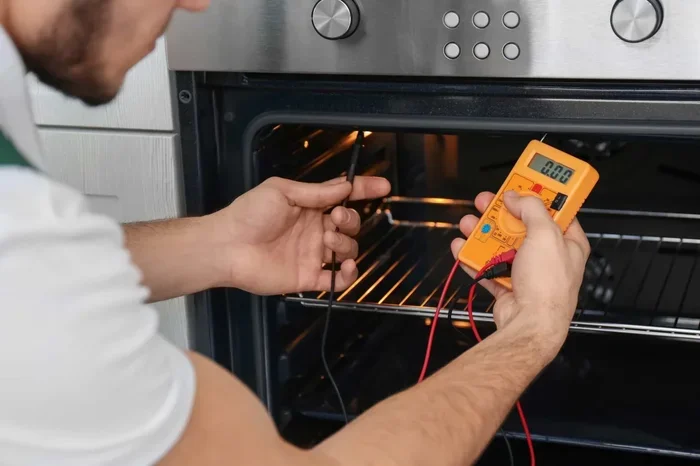
If your LG oven is not heating, start by checking the power source. Make sure the oven is plugged in securely. Check your home’s circuit breaker to see if a fuse has blown. Sometimes a simple reset fixes the problem.
Next, check the control panel for any error codes. LG ovens display specific codes when something goes wrong. Refer to the LG oven manual for a list of error codes and their meanings. Common codes include F1 for control board issues and F9 for door lock problems.
If the oven still does not heat, the heating element may be faulty. In that case, contact LG customer service or a certified technician. Do not attempt to replace the element yourself unless you have experience with appliance repair.
Uneven Cooking Results
Uneven cooking is frustrating but usually easy to fix. Start by checking the LG oven rack position. Make sure the rack is centered and level. Rotating your dish halfway through cooking also helps distribute heat evenly.
If you use convection mode, uneven results are rare. The fan does most of the work. If you notice hot spots, try placing a baking stone or sheet on a lower rack. This absorbs and redistributes heat more evenly.
Oven Door Not Closing Properly
A door that does not seal properly causes heat loss and uneven cooking. Check the door hinges and latch for any visible damage or debris. Clean the gasket — the rubber seal around the door — with warm soapy water.
If the door still does not close properly, the hinges may need adjustment. Refer to the LG oven manual for hinge adjustment instructions. In some cases, a worn gasket needs to be replaced. LG customer service can help you order the right part.
Error Codes on the Display
LG ovens display error codes to help you identify problems quickly. Here are a few common ones:
- F1 — Control board malfunction. Try unplugging the oven for 30 seconds and plugging it back in.
- F3 — Oven temperature sensor issue. The sensor may need cleaning or replacement.
- F5 — Door lock problem. Check for obstructions around the door.
- F9 — Door latch error. This often resolves after a power cycle.
When you see an error code, do not panic. Most codes are simple to resolve. The LG oven troubleshooting process is designed to be user-friendly.
Cleaning and Maintaining Your LG Oven
A clean oven cooks better and lasts longer. Regular maintenance keeps your LG oven in top shape. The good news is that LG ovens make cleaning easier than ever.
Using the Self-Clean Feature
The self-clean feature is the easiest way to deep clean your oven. Before starting, remove all racks, pans, and accessories. Wipe out any large food debris with a damp cloth.
Close the door and select Self-Clean from the control panel. The oven will heat to extreme temperatures and burn off grease and food residue. The cycle takes about 2 to 4 hours depending on your model. Once complete, let the oven cool completely before wiping away the ash.
Important safety note: The door locks during self-clean. Do not force it open. Wait for the lock to release naturally. This is a safety feature, not a malfunction.
Manual Cleaning Tips
For everyday cleaning, a simple wipe-down after each use goes a long way. Use a soft sponge and mild detergent to clean the interior. Avoid harsh abrasive cleaners because they can damage the oven lining.
For the glass door, mix baking soda and water into a paste. Apply it to the glass, let it sit for 15 minutes, then wipe clean. This removes grease and grime without scratching the surface.
Clean the oven racks separately by soaking them in warm soapy water. Use a non-abrasive scrubber to remove stuck-on residue. Dry them completely before placing them back inside.
Maintaining the Exterior
Do not forget the outside of your oven. Wipe the control panel with a slightly damp cloth. Avoid spraying liquid directly onto the panel because moisture can damage the electronics. Clean the door handle and exterior surfaces regularly to prevent grease buildup.
Safety Tips for Using Your LG Oven
Safety should always come first when using any kitchen appliance. Your LG oven has several built-in safety features, but you still need to follow basic precautions.
Never leave your oven unattended while using the broil or self-clean mode. These modes use very high temperatures and can cause fires if food spills are not managed. Always keep flammable items like towels and paper away from the oven.
Use oven mitts when handling hot dishes and racks. The oven interior and exterior can get very hot during cooking. Teach children to stay away from the oven while it is in use. Install a smoke detector near your kitchen for added protection.
If you notice any unusual smells, sounds, or behavior from your oven, turn it off immediately and unplug it. Contact LG support for assistance. Regular maintenance and careful use will keep your oven safe and reliable for years to come.
Expert Tips for Getting the Most From Your LG Oven
Now that you know the basics, here are some expert-level tips that will elevate your cooking game.
Use the convection mode for roasting. Convection roasting produces beautifully browned exteriors and juicy interiors. It is the secret to restaurant-quality roasts at home. Try it with chicken, beef, or vegetables and you will notice the difference immediately.
Experiment with the steam mode. Steam cooking is a healthy alternative that preserves nutrients and flavor. Use it for fish, dumplings, or steamed vegetables. The results are tender and delicious without added fats or oils.
Invest in an oven thermometer. Even the best ovens can have slight temperature variations. An oven thermometer helps you verify that your LG oven is actually reaching the set temperature. This small tool can dramatically improve your baking results.
Keep a cooking log. Write down what works and what does not. Note the temperature, time, and rack position for each dish. Over time, you will build a personal reference guide that makes every meal better.
Register your oven. Register your LG oven on the manufacturer’s website to activate your warranty. This gives you access to support, replacement parts, and sometimes exclusive recipes and tips. It is a simple step that pays off big time.
Conclusion
Using your LG oven does not have to be complicated. With the right knowledge, anyone can master this powerful kitchen appliance. From the first power-up to daily cooking and long-term maintenance, you now have everything you need to get the most out of your oven.
Remember to start with proper setup, understand your control panel, explore all cooking modes, and handle troubleshooting with confidence. Keep your oven clean, follow safety guidelines, and never stop experimenting. The more you use your LG oven, the more comfortable and creative you will become in the kitchen.
LG oven how to use is a journey, not a destination. Every meal you cook teaches you something new. So go ahead, preheat that oven, and start creating delicious dishes today. You have got this!
Frequently Asked Questions
How do I set the temperature on my LG oven?
Press the Bake or Convection button on the control panel, then use the temperature arrows to set your desired heat. The display will show the current temperature. Press Start to begin preheating. Most LG ovens beep when the target temperature is reached.
Why is my LG oven not heating up?
Check that the oven is properly plugged in and the circuit breaker has not tripped. Look for error codes on the display and refer to the LG oven manual for guidance. If the heating element is faulty, contact a certified technician for repair.
Can I use aluminum foil in my LG oven?
Yes, you can use aluminum foil on the oven racks. However, do not let the foil touch the heating elements or line the oven floor. Foil can block airflow and cause uneven cooking or damage the oven interior.
How often should I clean my LG oven?
Wipe down the interior after every use to prevent grease buildup. Use the self-clean feature every 1 to 3 months depending on how often you cook. For light cleaning, a mild detergent and soft cloth work perfectly.
What is the difference between bake and convection mode?
Bake mode uses the bottom heating element for gentle, even heat. Convection mode adds a fan that circulates hot air throughout the oven. Convection cooks faster and more evenly, making it ideal for roasting and baking multiple dishes at once.
How do I reset my LG oven after a power outage?
Unplug the oven from the wall outlet for 30 seconds. Plug it back in and turn it on. The display should return to the home screen. Reset the the time and any previous settings if needed. This simple reset resolves most post-outage issues.