How To Reset Krups Coffee Maker And Get It Working Again
Knowing how to reset Krups coffee maker models is the fastest way to bring your machine back to life. Whether your Krups is showing error lights, not brewing, or acting strangely, a simple reset can solve most problems. This guide walks you through every reset method, from a basic power cycle to a full factory reset, so you can get back to your morning cup without calling a repair tech.
There is nothing worse than walking to the kitchen in the morning, ready for your first cup of coffee, only to find that your Krups coffee maker will not turn on or is flashing strange lights. Before you panic or call a repair service, take a breath. Most of the time, a simple reset is all it takes to get your machine back up and running.
A Krups coffee maker reset is a straightforward process that works on nearly all models. Whether you own a Krups filter coffee machine, an automatic espresso model, or a pod-based system, the reset steps are similar. This guide will show you exactly how to do it, why your machine might need a reset, and how to keep it working smoothly for years to come.
We will cover everything from a basic power cycle to a full factory reset. You will also learn about common problems that signal a reset is needed and simple tips to avoid those issues in the future. By the end of this article, you will feel confident fixing your Krups machine on your own.
Key Takeaways
- A power cycle is the easiest and most common way to reset Krups coffee maker units. Simply unplug the machine, wait 30 seconds, and plug it back in.
- Most Krups models have a reset button or a specific button combination to trigger a reset. Check your model’s manual for the exact steps.
- Resetting clears error codes, fixes brewing issues, and resolves unresponsive buttons. It is the first thing you should try before any repair.
- Regular maintenance like descaling and cleaning the water tank helps prevent the need for frequent resets. A well-maintained machine runs smoother.
- Some Krups machines need a factory reset for stubborn problems. This restores all settings to their original defaults.
- Contact Krups support if your machine still won’t work after a reset. There may be a hardware issue that needs professional attention.
📑 Table of Contents
Understanding Your Krups Coffee Maker
Before you dive into the reset process, it helps to understand what is inside your machine. Krups coffee makers are known for their durability and smart features. Most models have a digital display, programmable settings, and a removable water tank. These features make brewing easy, but they also mean there are more things that can go wrong.
How Krups Coffee Makers Work
A Krups machine heats water from the tank and pushes it through a filter basket or pod holder. The water passes through the coffee grounds and drips into your cup or carafe. A thermostat controls the temperature, and a pump manages the water pressure. When any of these parts gets stuck or confused, the machine may stop working correctly.
The control board is the brain of the machine. It reads your button presses and controls the heating element and pump. Sometimes, the control board just needs a fresh start. That is where a reset comes in. Think of it like restarting a phone when it freezes. The machine is not broken, it just needs a fresh start.
Common Krups Coffee Maker Models
Krups makes many different coffee makers. Some popular ones include the Krups Filter Automatic, the Krups Espresso Machine, and the Krups Bean To Cup model. Each model has slightly different reset methods, but the general principles are the same. If you are not sure which model you have, check the label on the bottom or back of the machine.
Knowing your model number helps you find the right reset steps. You can also look up your model online to find a specific Krups coffee maker troubleshooting guide. The reset process for most Krups machines falls into one of three categories: a power cycle, a button combination reset, or a factory reset.
Signs Your Krups Coffee Maker Needs A Reset
How do you know when your Krups machine needs a reset? There are several clear signs. Paying attention to these signals can save you time and frustration.
Error Lights And Display Codes
If your Krups coffee maker display is showing a flashing light or an error code, that is the most obvious sign. Many Krups models use blinking red or orange lights to tell you something is wrong. A reset often clears these codes and brings the machine back to normal.
Common error signals include:
- Flashing water icon – This usually means the water tank is not seated properly or the machine needs descaling.
- Red light blinking three times – This often signals a blocked water path or a heating element issue.
- Blank display – The machine may have lost its settings and needs a power cycle.
- Steam light staying on – The machine thinks it is still in steam mode and will not brew.
Machine Not Brewing Or Heating
Another clear sign is when your Krups coffee maker not brewing or not heating up. If you press the brew button and nothing happens, or the water stays cold, a reset can often fix this. The control board may have frozen, preventing the machine from starting the brewing cycle.
Sometimes the Krups coffee maker water tank sensor gets confused. The machine thinks the tank is empty even when it is full. A reset recalibrates the sensor and gets the machine brewing again. This is a very common issue and one of the easiest to fix.
Buttons Not Responding
Have you ever pressed a button on your Krups machine and nothing happens? Sticky or unresponsive Krups coffee maker buttons are a sign that the control panel needs a reset. This can happen after a power surge or if the machine has been sitting unused for a while.
Before you assume the buttons are physically broken, try a reset first. In most cases, the buttons will start working again right away. If the buttons are physically stuck or damaged, you may need to clean them or replace the panel.
How To Reset Krups Coffee Maker: Step By Step
Now that you know the signs, let us get into the actual reset steps. I will walk you through three methods, starting with the simplest and moving to the most thorough. Try them in order, and stop as soon as your machine starts working again.
Method 1: The Power Cycle Reset
The power cycle is the easiest and most common way to reset Krups coffee maker machines. It works on almost every model and takes less than a minute. Here is exactly what to do:
- Turn off the machine using the power button if your model has one.
- Unplug the machine from the wall outlet. Do not just turn off the switch. You need to fully disconnect the power.
- Wait 30 seconds. This gives the internal capacitors time to drain and the control board to fully reset.
- Plug the machine back in and turn it on.
- Run a blank brew cycle with just water and no coffee. This flushes the system and confirms the reset worked.
This simple Krups coffee maker power cycle fixes the majority of minor glitches. If your machine was just acting confused, this will likely solve the problem. Most people find that their Krups works perfectly after just this one step.
Method 2: The Button Combination Reset
If the power cycle did not work, try the button combination method. Different Krups models use different combinations, but here are the most common ones:
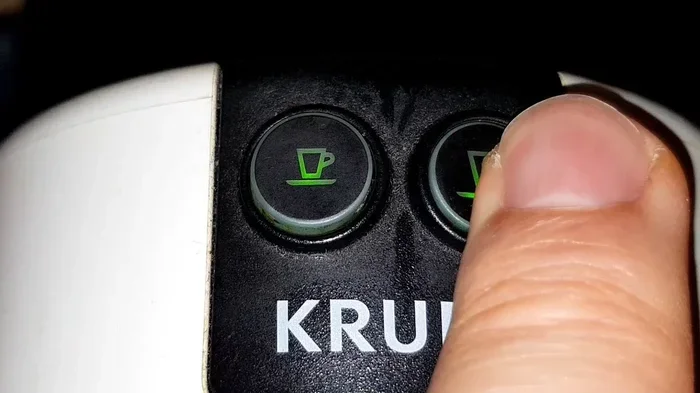
- For Krups Filter Machines: Press and hold the program button and the on/off button at the same time for 5 seconds. Release both buttons when the display flashes.
- For Krups Espresso Machines: Press and hold the steam button and the espresso button together for 5 seconds. The machine should beep to confirm the reset.
- For Krups Bean To Cup Models: Hold the grind size button and the strength button together for 5 seconds until the display resets.
After doing the button combination, unplug the machine for 10 seconds, then plug it back in. This full sequence ensures the reset takes effect. Your Krups coffee maker settings may return to default, so you will need to reprogram any custom brew strengths or timer settings.
Method 3: The Factory Reset
A factory reset is the most thorough option. It wipes all custom settings and returns the machine to its original factory state. Use this method only if the first two methods did not work. Here is how to do it:
- Unplug the machine from the power source.
- Remove the water tank and the coffee grounds container.
- Press and hold the power button for 15 seconds while the machine is unplugged. This drains any residual power from the control board.
- Wait 2 minutes with the machine completely disconnected.
- Reassemble the machine with the water tank and grounds container in place.
- Plug the machine back in and turn it on.
- Run the setup wizard if your model has one, or program your preferred settings from scratch.
A factory reset is like giving your machine a fresh start. It clears all error codes, resets the sensor calibrations, and wipes any software glitches. This method works even when the machine has been having persistent problems for weeks.
Common Reset Problems And How To Fix Them
Sometimes the reset itself does not go smoothly. Here are the most common issues people run into when trying to reset Krups coffee maker units, and how to solve them.
Reset Button Does Not Work
If pressing the reset button or doing the button combination does nothing, do not worry. This usually means the control board is not receiving power. Check that the machine is properly plugged in and that the outlet is working. You can test the outlet by plugging in another appliance, like a toaster or oven, to see if it powers on.
Also check the power cord for any visible damage. A frayed cord can prevent the machine from getting the full power it needs to reset. If the cord looks fine, try a different outlet in your kitchen.
Machine Still Shows Error Codes After Reset
If the error codes keep coming back after a reset, the problem is deeper than a software glitch. The machine is trying to tell you something is physically wrong. Common causes include a clogged water line, a dirty sensor, or a failing heating element.
In this case, you should clean the machine thoroughly. Run a descaling cycle with a vinegar and water solution. Also check the Krups coffee maker filter and clean or replace it if it is dirty. Sometimes a simple cleaning after the reset is all it takes to stop the error codes from returning.
Machine Won T Turn On After Reset
If the machine completely refuses to turn on after a reset, the power supply may be damaged. Unplug the machine and let it sit for 5 minutes. Plug it back in and try again. If it still does not turn on, the power supply unit inside the machine may need to be replaced.
This is a less common issue, but it does happen. Before you give up, make sure the power switch on the back of the machine (if there is one) is flipped to the on position. Some Krups models have a small switch on the rear that can get accidentally toggled.
Preventive Maintenance Tips For Your Krups Coffee Maker
The best way to avoid needing frequent resets is to keep your Krups machine well maintained. A little regular care goes a long way in preventing problems. Here are the tips that make the biggest difference.
Descale Your Machine Regularly
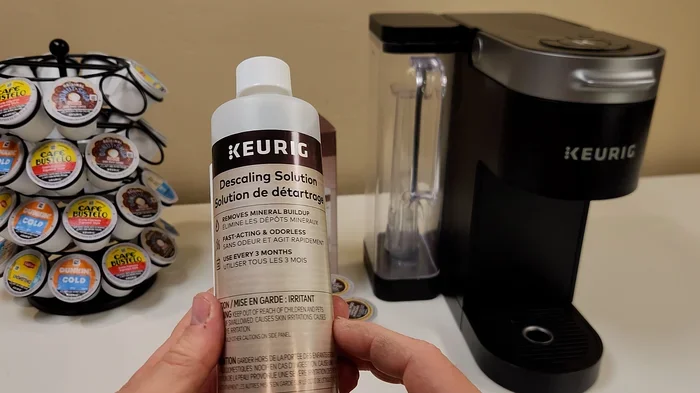
Mineral buildup from hard water is the number one enemy of coffee makers. Over time, scale collects inside the water lines and heating element. This can cause brewing issues, error codes, and even overheating. Descale your Krups machine every 2 to 3 months, or more often if you have hard water.
You can use a commercial descaling solution or a simple mix of white vinegar and water. Run the solution through a brew cycle, then follow up with two to three plain water cycles to rinse out any vinegar taste. This simple step keeps your machine running smoothly and reduces the need for resets.
Clean The Water Tank And Filter Regularly
Take out the water tank at least once a week and wash it with warm soapy water. Rinse it thoroughly and dry it before putting it back. The filter basket or pod holder should also be cleaned after every few uses. Old coffee oils can build up and cause blockages that lead to brewing problems.
Also wipe down the exterior of the machine, especially around the buttons and display. Crumbs and spills around the controls can cause buttons to stick or become unresponsive. A quick wipe-down with a damp cloth keeps everything working properly.
Use Clean Filtered Water
The water you put into your Krups machine matters. Tap water with heavy minerals or chlorine can cause buildup and affect the taste of your coffee. Using filtered water reduces scale buildup and keeps the internal parts cleaner longer. This means fewer maintenance issues and fewer resets.
Some Krups machines come with a built-in water filter cartridge. Make sure you replace this cartridge every 2 months or as the indicator light tells you. A fresh filter keeps the water clean and the machine running at its best.
Keep The Machine In A Cool Dry Place
Krups coffee makers work best in a cool, dry environment. Keep the machine away from the stove, oven, or direct sunlight. Excessive heat can damage the internal electronics and cause the machine to malfunction. A stable kitchen environment helps your Krups last longer between resets.
Also make sure the machine has enough ventilation around it. Do not push it flush against the wall or other appliances. Good airflow keeps the internal components cool and prevents overheating issues that might trigger error codes.
When To Call A Professional For Help
Most Krups coffee maker issues can be solved with a reset and some basic maintenance. But there are times when you should call in a professional. Knowing when to stop troubleshooting and get help saves you from making things worse.
Call Krups customer support or a certified repair technician if:
- The machine still does not work after a full factory reset and basic troubleshooting.
- You smell burning or see smoke coming from the machine.
- The water is leaking from the machine and you cannot find the source.
- The heating element is clearly damaged or the pump makes grinding noises.
- The machine is under warranty and you do not want to void it with DIY repairs.
Krups has a dedicated support team that can walk you through advanced troubleshooting over the phone or help you arrange a repair. They can also tell you if your specific model is eligible for a replacement under warranty. Always keep your receipt and warranty information handy when you call.
It is also worth noting that some kitchen appliance issues are similar across different devices. For example, if your oven is not heating properly, the diagnostic approach is similar to troubleshooting a coffee maker. You check the power supply, then the internal components, and finally call for professional help if needed. Understanding these basic troubleshooting principles helps you handle problems with any kitchen appliance more confidently.
Similarly, keeping your kitchen appliances clean and well maintained applies to everything in your kitchen. Whether it is learning how to properly clean your air fryer or maintaining your Krups coffee maker, regular care prevents most problems before they start. A clean kitchen appliance runs better, lasts longer, and needs fewer repairs.
Remember that every appliance has its quirks. Some ovens need specific temperature fixes just like some Krups machines need specific reset methods. The key is to stay patient, follow the steps carefully, and know when to ask for help. With the right approach, your Krups coffee maker will keep brewing great coffee for years to come.
Finally, do not ignore the small warning signs. If your machine starts making unusual noises, the brew time gets longer, or the coffee tastes off, address it early. A quick reset and a simple cleaning session can often prevent a small issue from turning into a big repair job. Taking care of your Krups machine today saves you time, money, and frustration tomorrow.
The next time your Krups coffee maker acts up, do not stress. You now know exactly how to reset Krups coffee maker machines, what the warning signs mean, and how to keep everything running smoothly. A little knowledge and a few minutes of your time are all you need to get your favorite coffee maker back in action.
Frequently Asked Questions
How long should I wait before plugging my Krups coffee maker back in after a reset?
Wait at least 30 seconds for a standard power cycle reset and up to 2 minutes for a factory reset. This waiting period allows the internal capacitors to fully drain and the control board to reset completely. Plugging the machine back in too soon can interrupt the reset process and leave the problem unresolved.
Will resetting my Krups coffee maker delete my programmed settings?
Yes, a factory reset will erase all custom settings including brew strength, timer, and grind size preferences. A power cycle or button combination reset usually keeps your settings intact. After a factory reset, you will need to reprogram your preferred settings from the start. Write down your favorite settings before doing a factory reset so you can easily restore them.
How often should I reset my Krups coffee maker?
You should not need to reset your Krups coffee maker regularly. A reset is only needed when the machine shows error codes, stops brewing, or has unresponsive buttons. If you find yourself needing to reset your machine frequently, there is likely an underlying issue that needs attention. Regular maintenance like descaling and cleaning can reduce the need for resets.
Can I reset my Krups coffee maker without unplugging it?
Some Krups models allow a button combination reset without unplugging, but a power cycle always requires full disconnection from the outlet. Unplugging ensures all residual power is drained from the control board, which is essential for a complete reset. If your model allows a reset without unplugging, still try unplugging first for the best results.
What should I do if my Krups coffee maker still will not work after a factory reset?
If a factory reset does not fix the problem, there may be a hardware issue such as a faulty heating element, broken pump, or damaged control board. Contact Krups customer support for further troubleshooting or to arrange a repair. If your machine is still under warranty, you may be eligible for a free replacement or repair service.
Is it safe to use vinegar to descale my Krups coffee maker?
Yes, white vinegar is a safe and effective descaling solution for Krups coffee makers. Mix equal parts vinegar and water, run it through a brew cycle, then follow with two to three plain water cycles to rinse out any vinegar residue. Avoid using harsh chemical cleaners or lemon juice, as these can damage the internal seals and affect the taste of your coffee.