Why Does My Oven Have Two Bake Buttons On It Anyway
Your oven has two bake buttons because modern ovens offer different baking modes for better cooking results. One button typically controls the standard bottom heat, while the other activates convection or a dual-element bake. Understanding these settings helps you bake more evenly, save energy, and get better outcomes every time you cook.
Have you ever stood in front of your oven, staring at those two bake buttons, wondering what on earth the difference is? You are not alone. So many home cooks look at their oven control panel and think, “Why does my oven have two bake buttons on it anyway?” It seems unnecessary. You just want to bake a simple cake or some cookies. Why do you need two options?
The truth is, those two buttons are not redundant. They serve different purposes, and knowing which one to use can completely change your baking results. In this article, we will break down exactly why ovens come with dual bake buttons, what each one does, and how you can use them to get better food every single time.
We will also cover common mistakes, expert tips, and troubleshooting advice. By the end, you will never second-guess which bake button to press again. Let us dive in.
Key Takeaways
- Dual bake buttons serve different purposes: one handles standard baking, and the other manages convection or enhanced heating.
- The bottom bake element heats from below, which is ideal for most everyday baking tasks like cookies and cakes.
- The convection or dual-element mode circulates hot air, giving you faster and more even cooking results.
- Using the wrong bake button can lead to uneven baking, burnt bottoms, or undercooked centers.
- Your oven manual is the best resource for understanding exactly what each button does on your specific model.
- Temperature sensors and bake elements work together, and knowing how helps you troubleshoot baking issues.
- Two-stage baking is a pro technique that uses both buttons at different times for superior results.
📑 Table of Contents
- What Those Two Bake Buttons Actually Do
- The Difference Between the Two Bake Modes
- Which Bake Button Should You Use and When
- Common Oven Settings You Should Know
- Troubleshooting When Your Bake Buttons Do Not Work Right
- Expert Tips for Better Baking Results
- Why Oven Manufacturers Include Two Bake Buttons
- Final Thoughts
What Those Two Bake Buttons Actually Do
Most people assume both bake buttons do the same thing. They do not. Even though they both relate to baking, they activate different heating elements and modes inside your oven. This is by design, not an accident.
Here is the simple breakdown. When you press one button, you are typically turning on the standard bottom bake element. This is the traditional way ovens have worked for decades. When you press the other button, you are usually activating a convection or dual-element system that circulates hot air throughout the oven cavity.
Understanding this difference is the first step to becoming a better baker. The two modes exist to give you more control over how your food cooks. Some ovens label them clearly as “Bake” and “Convection Bake.” Others use less intuitive terms like “Thermal Bake” and “Dual Bake.”
The Standard Bake Mode
The standard bake mode uses the heating element at the bottom of the oven. This creates a steady, direct source of heat that rises upward. It is the most traditional baking method, and it works beautifully for a wide range of recipes.
When you use this mode, the bottom of your oven gets the hottest. The top stays cooler. This natural heat gradient is perfect for things like cakes, bread, and casseroles. The heat rises slowly and evenly, giving your food time to cook through properly.
This mode is also great for recipes that need a gentle, consistent temperature. If a recipe says to bake at 350 degrees for 30 minutes without mentioning convection, it is designed for the standard bake setting.
The Convection or Dual-Element Mode
The second bake button usually activates a fan and sometimes an additional heating element. This forces hot air to circulate around your food. The result is faster, more even cooking with fewer hot spots.
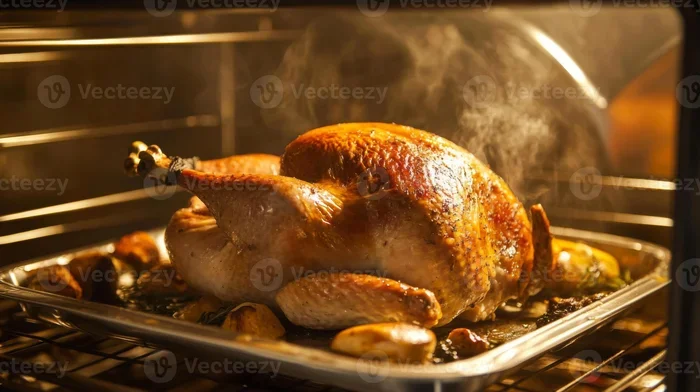
Convection baking works well for foods that need a crispy exterior and a moist interior. Think roast chicken, pastries, and cookies. The moving air helps brown the surface faster while the inside cooks through evenly.
Some ovens use a dual-element system instead of a fan. This means both the top and bottom elements work together to create a more balanced temperature. It is not true convection, but it achieves a similar goal of more even heating.
The Difference Between the Two Bake Modes
Now that you know what each button does, let us look at how they differ in practice. The differences matter more than most people realize.
Here is a quick comparison of the two modes:
- Heat Source: Standard bake uses the bottom element only. The second mode uses a fan or both top and bottom elements.
- Cooking Time: Convection and dual-element modes cook faster, usually about 25 percent quicker than standard bake.
- Temperature: Convection baking often requires lowering the temperature by 25 degrees for the same results.
- Evenness: The circulating air in the second mode reduces hot spots and promotes uniform browning.
- Best For: Standard bake is ideal for delicate items like custards and soufflés. The second mode excels with roasted meats, cookies, and pastries.
The table below summarizes the key differences:
- Feature: Standard Bake vs. Convection/Dual Bake
- Heating Method: Bottom element only vs. Fan or dual elements
- Baking Speed: Normal vs. About 25% faster
- Temperature Adjustment: No change needed vs. Lower by 25°F
- Best Recipes: Cakes, custards, bread vs. Cookies, roasted dishes, pastries
- Hot Spots: More common vs. Reduced significantly
- Energy Use: Moderate vs. Slightly higher due to fan or extra element
These differences explain why oven manufacturers give you two options. They want you to choose the right mode for the right job. Using the correct setting can mean the difference between a perfectly baked cake and a disappointing one.
Which Bake Button Should You Use and When
Knowing the difference is one thing. Actually choosing the right button is another. Here is a simple guide to help you decide which bake button to press for different situations.
Use the standard bake button when you are making delicate baked goods. Things like cheesecake, custard pies, and soufflés need gentle, steady heat. The rising heat from the bottom element gives you exactly that. It also works well for bread dough that needs a slow, even rise and bake.
Use the second bake button for foods that benefit from faster, more intense heat. Roasted vegetables, cookies, muffins, and pastries all do well with convection or dual-element baking. The moving air helps them brown evenly and develop a nice texture.
Here are some quick tips to help you choose:
- For cakes and cupcakes: Stick with the standard bake button. The gentle heat prevents the top from cracking or burning.
- For cookies and biscuits: Try the convection or dual bake mode. You will get more even browning on all sides.
- For casseroles and lasagna: Either mode works, but standard bake gives you a slower, more gentle cook that prevents the edges from burning.
- For roasted meats: The second button is your best friend. It browns the outside faster while keeping the inside juicy.
- For reheating leftovers: Use the standard bake mode to avoid drying out your food too quickly.
If you are ever unsure, check your recipe. Most recipes that are designed for home ovens assume you are using the standard bake setting. If you want to use the second mode, reduce the temperature by 25 degrees and check for doneness earlier than the recipe suggests.
Common Oven Settings You Should Know
Your oven has more than just two bake buttons. Understanding the full range of settings can take your baking to the next level. Let us walk through some of the most common ones.
Broil vs. Bake
Many people confuse broil with bake, but they are completely different. The bake setting uses indirect heat from the bottom element. The broil setting uses direct, intense heat from the top element. You broil to brown the top of a dish or give it a crispy finish. You bake to cook food through evenly from all sides.
Warm Setting
The warm setting keeps food at a low temperature, usually around 170 degrees. It is perfect for keeping baked goods warm until you are ready to serve. It is not meant for cooking. If you try to bake something on the warm setting, it will take forever and never cook properly.
Self-Clean Mode
Some ovens have a self-clean mode that heats the oven to extremely high temperatures, usually above 800 degrees. This burns off food residue so you can wipe it away easily. Never use this mode for baking. It is not designed for cooking food.
Proof Setting
If your oven has a proof setting, it maintains a low, warm temperature ideal for rising bread dough. This is different from baking. Proofing lets the yeast do its work before you apply full heat. Not all ovens have this setting, but it is a nice feature if yours does.
Troubleshooting When Your Bake Buttons Do Not Work Right
Sometimes the problem is not about which button to use. Sometimes, the buttons themselves stop working properly. Here are some common issues and what you can do about them.
One Button Does Not Turn On the Oven
If pressing one of the bake buttons does nothing, the heating element associated with that mode may be burned out. You can test this by looking through the oven window while the button is pressed. If you do not see the element glow red, it likely needs replacement.
Before you call a repair technician, check your oven manual. Some models have a reset button or a fuse that can be replaced easily. Always unplug the oven before attempting any internal inspection.
The Oven Temperature Is Off
If your food consistently comes out undercooked or overcooked, your temperature sensor may be malfunctioning. The temperature sensor tells the oven when to stop heating. If it is faulty, the oven cannot regulate the temperature properly.
You can test the sensor with an oven thermometer. Place the thermometer inside the oven and compare the reading to what the oven display shows. If there is a difference of more than 25 degrees, you may need to calibrate or replace the sensor.
Food Bakes Unevenly
Uneven baking is often caused by a dirty oven or a worn-out bake element. Grease and food buildup can block heat distribution. A simple cleaning can sometimes fix the problem. If the bottom element is damaged, it may not heat evenly, causing hot spots and cold zones.
Also, consider whether you are using the right bake button for the job. Using the standard bake mode for something that needs convection can result in uneven browning. Switching to the right mode can solve many baking problems instantly.
Expert Tips for Better Baking Results
Professional bakers and oven manufacturers share a few tips that can help you get the most out of your dual bake buttons.
Always preheat your oven. This is the number one rule for good baking. Whether you use the standard bake button or the second one, give your oven at least 15 to 20 minutes to reach the target temperature. A cold oven leads to uneven baking and longer cook times.
Invest in an oven thermometer. Most oven dials and digital displays are not perfectly accurate. An inexpensive oven thermometer takes the guesswork out of temperature. You will know exactly what your oven is doing, and you can adjust accordingly.
Rotate your pans halfway through baking. Even with convection mode, ovens can have slight temperature variations. Rotating your pan ensures all sides of your food get equal exposure to heat. This simple habit can dramatically improve your results.
Do not open the oven door too often. Every time you open the door, you lose heat and temperature. This is especially true for delicate items like cakes and soufflés. Use the oven light to check on your food instead of opening the door.
Learn your oven’s hot spots. Every oven is a little different. Some have hotter zones near the back or on one side. Once you know your oven’s quirks, you can position your pans accordingly. This knowledge comes with time and practice.
Use the right bakeware for the mode. Dark pans absorb more heat and can cause overbrowning in convection mode. Light-colored aluminum pans work best for even baking. If you are using the dual bake button, choose a lighter pan to avoid burnt edges.
Read your oven manual. It might seem boring, but your oven manual contains valuable information specific to your model. It explains what each button does, what temperatures to use, and how to maintain your oven properly. A few minutes of reading can save you hours of frustration.
These tips may seem simple, but they make a real difference. The best bakers are not the ones with the fanciest equipment. They are the ones who understand their tools and use them correctly. Knowing why your oven has two bake buttons and how to use each one puts you ahead of most home cooks.
Why Oven Manufacturers Include Two Bake Buttons
You might still wonder why manufacturers bother with the extra button. The answer comes down to versatility and market demand. Today’s home cooks want more from their ovens. They want to bake a delicate cake on Sunday and roast a chicken on Wednesday. They want options, and oven makers deliver.
The dual bake button setup also helps ovens perform better across a wider range of cooking tasks. Without convection or dual-element modes, ovens would struggle with certain foods. The second button fills that gap. It gives you the flexibility to choose the right baking method for the right dish.
Energy efficiency is another factor. Convection modes can cook food faster, which saves time and energy. The standard bake mode uses less power for simpler tasks. Together, the two buttons give you an efficient and flexible cooking experience.
Manufacters also design these features to make ovens more competitive. In a crowded marketplace, having two bake buttons is a selling point. It signals that the oven is modern and capable. Even if you never use the second button, knowing it is there gives you peace of mind.
Final Thoughts
So, why does my oven have two bake buttons on it anyway? Now you know the answer. The two buttons give you more control, more flexibility, and better results. The standard bake button handles most everyday baking tasks with gentle, steady heat. The second button, whether it is convection or dual-element, gives you faster and more even cooking for heartier dishes.
The key is to understand what each button does and when to use it. With the tips and information in this article, you are now equipped to make the right choice every time. Stop guessing, start experimenting, and enjoy better baking results from this day forward.
Your oven is a powerful tool. The two bake buttons are there to help you get the most out of it. Use them wisely, and you will notice the difference in every dish you bake.
Frequently Asked Questions
Can I use both bake buttons at the same time?
No, you should not press both bake buttons simultaneously. Each button activates a different heating mode, and using them together can confuse the oven’s control system. Always choose one mode based on what you are baking.
Do I need to adjust the temperature when using the second bake button?
Yes, if your second bake button activates convection mode, lower the temperature by 25 degrees Fahrenheit. The circulating air cooks food faster and more efficiently, so a lower temperature produces the same results.
Is the second bake button the same as air frying?
Not exactly. Some modern ovens have an air fry setting that works similarly to convection baking. However, air fry mode typically uses higher speeds and different temperature ranges. Check your oven manual to see if your second bake button is the same as the air fry function.
Why does my food burn when I use the second bake button?
This usually happens when the temperature is too high or the food is too close to the top element. Try lowering the temperature by 25 degrees and moving your pan to the center rack. If the problem continues, your oven’s temperature sensor may need calibration.
Can I bake bread using the second bake button?
You can, but it is not always ideal. Bread benefits from the steady, gentle heat of the standard bake mode. However, if you want a crispy crust, using the convection or dual bake mode for the last 10 minutes can help achieve that texture.
How do I know which bake button is which on my oven?
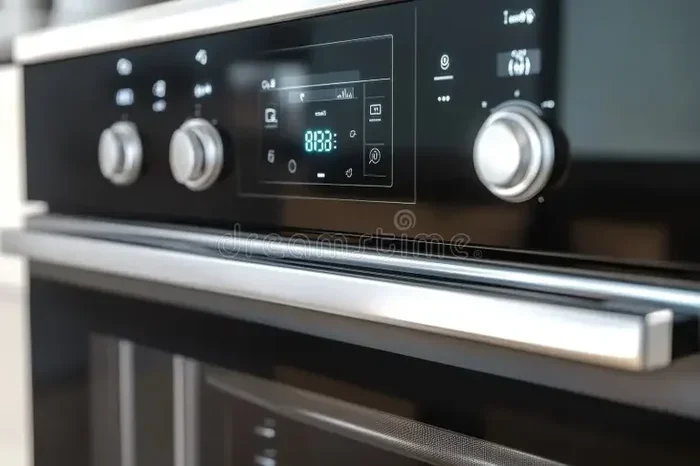
Check the labels on your oven control panel. Most ovens clearly mark the buttons as “Bake” and “Convection Bake” or similar. If the labels are unclear, consult your oven manual. It will explain each button’s function for your specific model.
=== CONCLUSION ===
Those two bake buttons on your oven are not a mystery anymore. They each serve a purpose, and using them correctly can transform your baking. The standard bake button gives you reliable, gentle heat for everyday recipes. The second button offers faster, more even cooking for dishes that need a little extra power.
Take a moment to read your oven manual and experiment with both modes. You will quickly learn which button works best for your favorite recipes. With this knowledge, you are well on your way to becoming a more confident and skilled home baker.