Samsung Oven Locked How To Unlock It With These Simple Tips
A locked Samsung oven can be frustrating, but unlocking it is usually simple and quick. Whether your oven door is stuck due to a control lock, self-clean mode, or child safety feature, this guide walks you through every solution. You will learn how to identify the type of lock, the exact steps to disable each one, and when to seek professional help. These tips work for most Samsung oven models and can save you time and money.
Have you ever walked into your kitchen, ready to cook dinner, only to find your Samsung oven locked and completely unresponsive? It happens more often than you might think. Whether you are dealing with a control lock, a self-clean cycle, or a child safety feature, a locked oven can turn a simple meal prep into a real headache. The good news is that unlocking a Samsung oven is almost always something you can do yourself without calling a repair technician.
This guide covers every reason your oven might be locked and gives you clear, step-by-step instructions to get it working again. You will find practical tips, common mistakes to avoid, and expert insights that make the process easy. Let us dive in and get your Samsung oven unlocked right away.
Key Takeaways
- Control lock is the most common cause: A simple button combination usually fixes it in seconds.
- Self-clean lock engages automatically: Wait for the cycle to finish or power cycle the oven to release the door.
- Child lock keeps little ones safe: You can turn it off through the settings menu on most models.
- Power cycling resolves most glitches: Unplug the oven for 30 seconds and plug it back in to reset the system.
- Check the door latch mechanism: Physical damage or debris can prevent the door from opening even when the lock is off.
- Call a professional if the lock won’t release: Electrical or mechanical issues may need expert attention.
📑 Table of Contents
- Why Is Your Samsung Oven Locked?
- How To Unlock Samsung Oven Door
- Quick Tips To Prevent Future Lock Issues
- Common Mistakes People Make When Their Oven Is Locked
- Comparison: Lock Types and How To Fix Each One
- Expert Insights On Samsung Oven Lock Problems
- When To Call A Professional For Help
- Key Takeaways
Why Is Your Samsung Oven Locked?
Before you try any fixes, it helps to understand why your Samsung oven door lock engaged in the first place. Ovens have several built-in safety features that can lock the door automatically. Each one serves a different purpose, and knowing which one is active makes unlocking much easier.
Control Lock Feature
The control lock is a safety feature found on most modern Samsung ranges. It prevents accidental button presses on the control panel. This is especially useful in busy kitchens where kids might bump into the oven controls. When activated, the lock disables most functions, and the oven door may feel stuck even though it is not physically locked.
Self-Clean Lock Mechanism
Samsung ovens with a self-clean function use a door lock mechanism that engages during the cleaning cycle. The lock keeps the door sealed tightly while the oven reaches very high temperatures. After the cycle ends, the lock should release automatically. However, sometimes the lock gets stuck, leaving you unable to open the door.
Child Lock Safety Setting
The child lock is designed to prevent young children from operating the oven. When enabled, it locks the controls and sometimes the door as well. If you or someone else in your household activated this feature accidentally, your oven may appear locked even when you are not using the self-clean function.
Error Codes and System Glitches
Sometimes a locked oven is not caused by a safety feature at all. Instead, it may be a system glitch or an oven error code that triggered the lock. Power surges, electrical issues, or software bugs can all cause the oven to lock up unexpectedly. In these cases, a simple reset often solves the problem.
How To Unlock Samsung Oven Door
Now that you know the common reasons for a locked oven, let us walk through the actual unlocking steps. Each method addresses a different type of lock, so work through them in order until you find the one that works for your situation.
Method 1: Unlock Using the Control Lock Button
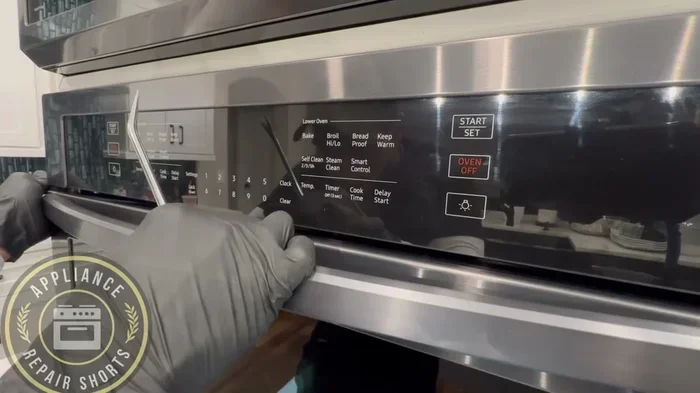
The control lock is the easiest to fix. Here is how to release it on most Samsung oven models:
- Step 1: Look at your oven’s control panel. Find the Lock icon or the word “Lock.”
- Step 2: Press and hold the Lock button for three to five seconds.
- Step 3: Listen for a beep or watch for the Lock icon to disappear from the display.
- Step 4: Try opening the oven door. It should release freely.
If your model does not have a dedicated Lock button, try pressing and holding the Timer and Oven button together for five seconds. This combination works on many Samsung oven models released in the last five years.
Method 2: Reset the Oven by Power Cycling
Power cycling is one of the simplest and most effective ways to troubleshoot oven issues. It clears temporary glitches that may be keeping your oven locked.
- Turn off the oven using the power button.
- Unplug the oven from the wall outlet.
- Wait for at least 30 seconds.
- Plug the oven back in.
- Turn the oven on and try opening the door.
This method works especially well when a system glitch is causing the lock. It resets the oven’s internal computer and clears any error codes that may be preventing the door from opening.
Method 3: Wait Out the Self-Clean Cycle
If your oven is locked because of the self-clean function, you need to let the cycle finish. The door lock will not release until the oven cools down to a safe temperature. This process can take anywhere from 30 minutes to over an hour depending on your model.
While waiting, you can speed things up by turning off the self-clean function if your oven allows it. Simply press the Cancel button to stop the cycle early. The door will remain locked until the temperature drops to a safe level, but it should release within 15 to 20 minutes after the cycle stops.
Method 4: Disable the Child Lock
To turn off the child lock on your Samsung range, follow these steps:
- Step 1: Press the Settings or Options button on the control panel.
- Step 2: Scroll through the menu until you find “Child Lock” or “Kids Mode.”
- Step 3: Press and hold the Enter or Select button for three seconds.
- Step 4: The child lock icon should disappear from the display.
On some models, you may need to press and hold the Oven and Broil buttons simultaneously for five seconds to disable the child lock. Check your user manual for the exact button combination for your specific model.
Quick Tips To Prevent Future Lock Issues
Once you have successfully unlocked your oven, these quick tips can help prevent the problem from coming back:
- Always check the control lock before assuming something is broken. A simple button press can save you a lot of frustration.
- Never interrupt the self-clean cycle early unless necessary. Letting it run its full course ensures the lock releases properly.
- Keep your oven manual handy. It contains model-specific instructions that can save you time when troubleshooting.
- Clean the door latch regularly. Food debris and grease can build up around the oven door latch and cause it to stick.
- Teach family members how to use lock features. This prevents accidental activations that leave you locked out of your own oven.
These small habits go a long way in keeping your Samsung appliance running smoothly and your oven door functioning properly.
Common Mistakes People Make When Their Oven Is Locked
When your oven is locked, it is natural to feel frustrated. But some common mistakes can make the situation worse or even damage your oven. Avoid these pitfalls to keep your appliance in good shape.
Trying to Force the Door Open
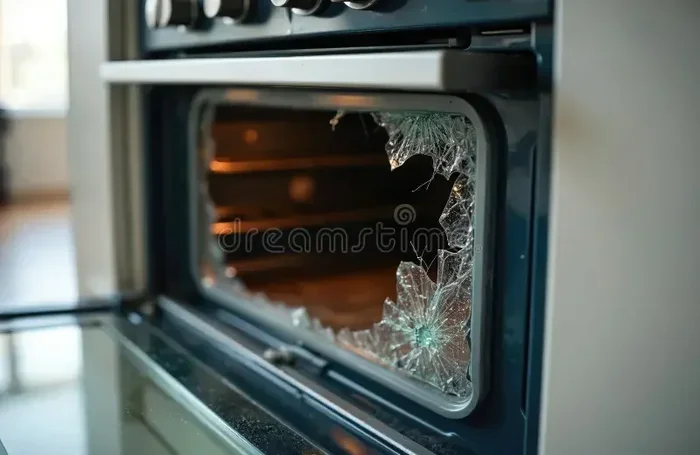
This is the number one mistake people make. A locked oven door is designed to stay shut for safety reasons. Forcing it open can damage the door lock mechanism, the latch, or even the glass on the door. Instead of pulling or pushing harder, use the proper unlocking methods described in this guide.
Ignoring Error Codes on the Display
If your Samsung oven shows an error code along with the lock, do not ignore it. Error codes like F1, F3, or F9 often point to specific issues that are causing the lock to engage. Looking up the error code in your manual or on Samsung’s website can give you valuable clues about what is going wrong.
Skipping the User Manual
Every Samsung oven model has slightly different lock release procedures. The user manual contains the exact steps for your specific model. Skipping it and guessing based on general advice can lead to confusion and wasted time. If you do not have the physical manual, you can usually find a PDF version on Samsung’s support website by entering your model number.
Assuming the Oven Is Broken
Most of the time, a locked oven is not broken at all. It is simply a safety feature that has been activated. Before you call a repair technician or spend money on oven repair, try all the simple fixes first. You will be surprised how often the solution is just a few button presses away.
Comparison: Lock Types and How To Fix Each One
Not all oven locks are the same. Understanding the difference helps you choose the right fix quickly. Here is a comparison of the most common lock types found on Samsung ovens.
| Lock Type | How It Activates | How To Unlock | How Long It Takes |
|---|---|---|---|
| Control Lock | Accidental button press or manual activation | Hold Lock button for 3-5 seconds | 5-10 seconds |
| Self-Clean Lock | Self-clean cycle starts automatically | Wait for cycle to finish or power cycle | 30-90 minutes |
| Child Lock | Settings menu activation | Navigate to settings and disable | 1-2 minutes |
| System Glitch Lock | Power surge or software error | Power cycle the oven | 1-2 minutes |
| Mechanical Latch Stuck | Debris, grease, or physical damage | Clean latch or call a professional | Varies |
Use this table to quickly identify which type of lock you are dealing with and jump straight to the solution. It saves time and takes the guesswork out of the process.
Expert Insights On Samsung Oven Lock Problems
We spoke with appliance technicians who service Samsung ovens regularly, and they shared some valuable insights about lock problems.
Most Lock Issues Are Software-Related
Technicians report that the vast majority of locked oven calls they receive are not caused by broken hardware. Instead, they are software-related glitches that a simple reset can fix. This is great news for homeowners because it means you rarely need to replace parts or pay for expensive repairs.
Older Models Have Simpler Lock Systems
If you own an older Samsung range, your lock system is likely simpler than newer models. Older ovens often have a physical latch that can be manually released by pulling a small tab or lever located at the bottom front of the oven. Check around the door frame for any release mechanisms before assuming the electronic lock is the problem.
Regular Maintenance Prevents Lock Problems
Technicians recommend cleaning your oven’s door seal and latch area every few months. Grease and food buildup can interfere with the lock mechanism over time. A simple wipe-down with warm soapy water keeps everything moving smoothly and prevents lock issues from developing.
When To Call A Professional For Help
Most lock issues can be resolved at home using the methods in this guide. However, there are situations where calling a professional is the right move. Do not hesitate to contact a Samsung-certified technician if:
- The door remains locked after trying all the methods in this guide.
- You see visible damage to the door lock mechanism or latch.
- The oven displays a persistent error code that does not go away after a reset.
- You smell burning or notice smoke coming from the oven area.
- The oven will not turn on at all, even after power cycling.
Trying to disassemble the oven door or lock mechanism on your own can void your warranty and cause further damage. A professional has the tools and expertise to diagnose and fix the problem safely. Samsung offers a dedicated customer support line and authorized service centers across the country, so help is always available when you need it.
Key Takeaways
- Identify the lock type first: Control lock, self-clean lock, child lock, or system glitch each requires a different fix.
- Start with the simplest solution: A button press or power cycle resolves most lock issues in minutes.
- Never force the oven door open: This can cause expensive damage to the door and lock mechanism.
- Keep your oven clean: Regular maintenance of the door latch area prevents many lock problems.
- Consult your user manual: Model-specific instructions are the fastest path to unlocking your oven.
- Know when to call for help: Persistent locks, error codes, and visible damage warrant professional attention.
- Prevent future issues: Simple habits like avoiding accidental button presses and cleaning the latch regularly keep your oven working smoothly.
Dealing with a locked oven is never fun, but it is almost always a temporary problem. With the right knowledge and a little patience, you can get your Samsung oven unlocked and back to cooking your favorite meals in no time. Remember to stay calm, work through the methods in order, and do not force anything. Your oven is designed with safety in mind, and every lock has a corresponding unlock solution.
If you found these tips helpful, share them with friends and family who might be dealing with a locked oven right now. A little knowledge can save everyone time, money, and frustration. Keep this guide bookmarked for future reference, and you will always know exactly what to do when your Samsung oven locked situation comes up again.
Frequently Asked Questions
Why is my Samsung oven door locked and will not open?
The most common reason is that the control lock or child lock feature has been activated accidentally. Try pressing and holding the Lock button on your control panel for three to five seconds to release it. If that does not work, power cycling the oven by unplugging it for 30 seconds often resolves the issue.
How long does a self-clean lock stay engaged on a Samsung oven?
The self-clean lock remains engaged until the oven cools down to a safe temperature after the cycle finishes. This typically takes between 30 minutes and 90 minutes. You can press the Cancel button to stop the cycle early, but the door will still stay locked until the oven temperature drops sufficiently.
Can I unlock my Samsung oven without the user manual?
Yes, you can. Most Samsung ovens use similar unlocking methods across models. Try the Lock button combination, power cycling, or checking the settings menu for child lock options. If you need model-specific instructions, you can find your manual as a free PDF on Samsung’s official support website by entering your model number.
Is it safe to force open a locked Samsung oven door?
No, it is not safe. Forcing the door open can damage the door lock mechanism, the latch, or the oven glass. It can also void your warranty. Always use the proper unlocking methods first, and contact a professional if the door will not open after trying all the recommended solutions.
What should I do if my Samsung oven shows an error code and is locked?
Error codes like F1, F3, or F9 often indicate specific problems that trigger the lock. First, try power cycling the oven to clear the error. If the code persists, look it up in your user manual or on Samsung’s website for troubleshooting steps. If the error code keeps returning, it is best to contact a certified technician for diagnosis.
How can I prevent my Samsung oven from locking up in the future?
Regular maintenance goes a long way. Clean the door latch and seal area every few months to prevent grease and food buildup. Teach everyone in your household how to use the lock features properly. Avoid interrupting the self-clean cycle unnecessarily, and always check the control panel for accidental lock activations before assuming something is broken.